
Throttlr · Bandwidth limiterNew
The simple way to limit app bandwidth.
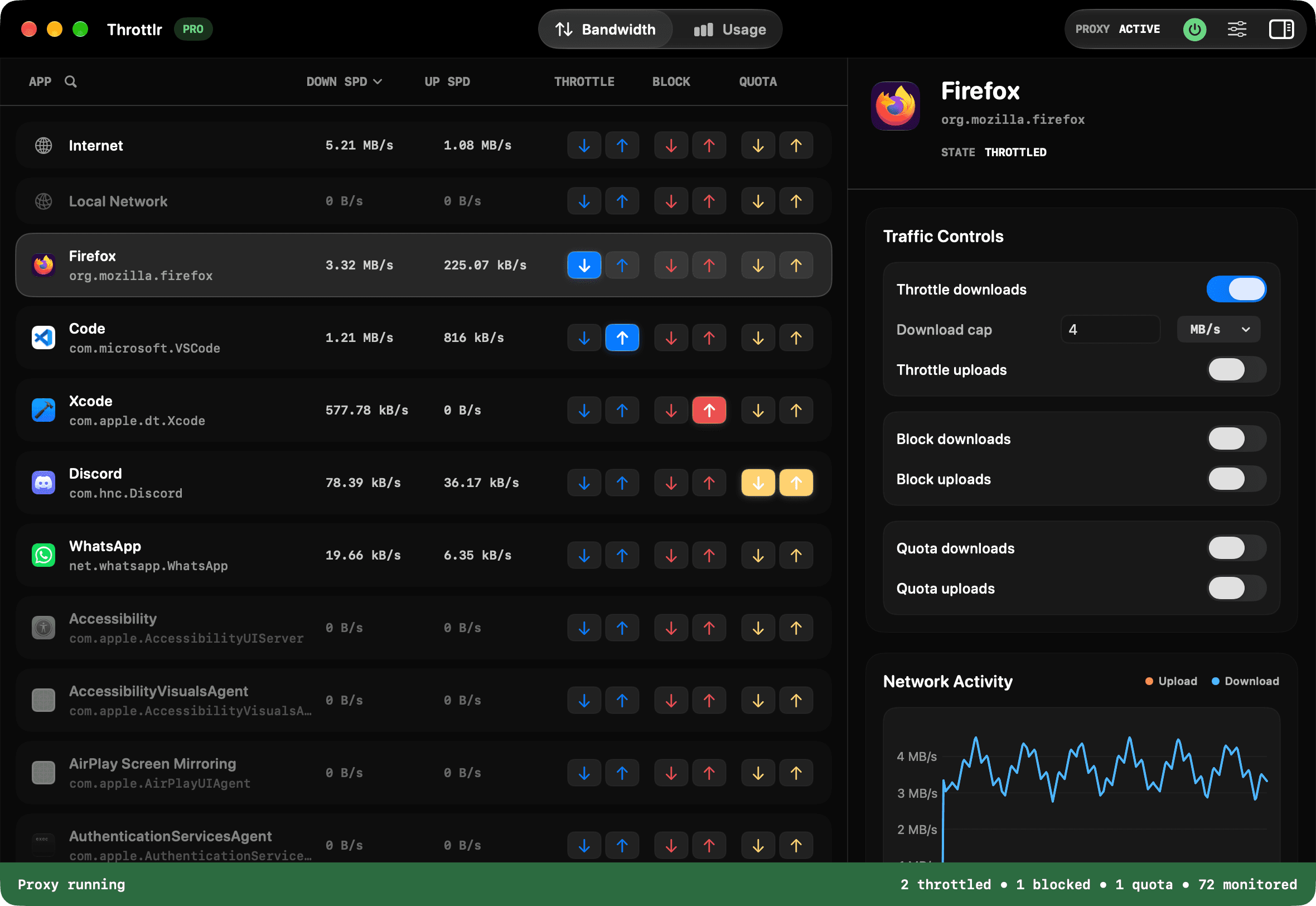
Cap speeds, block traffic or set data quotas for any app on your Mac. Watch every app's bandwidth live, right from the menu bar.
Free download · 14-day Pro trial, no card needed · macOS 15 or later
Throttlr
Your connection, working on your terms.
Stop letting one app take the whole connection. Pick an app, then throttle it, block it or give it a quota.
Three controls, every app
Each one works on downloads and uploads separately.
- Throttle
- Separate upload and download caps for one app or the whole system.
- Block
- Cut an app off the network and let it back on in a click. No firewall rules.
- Quota
- Data allowances that reset on your schedule, then block or slow the app.
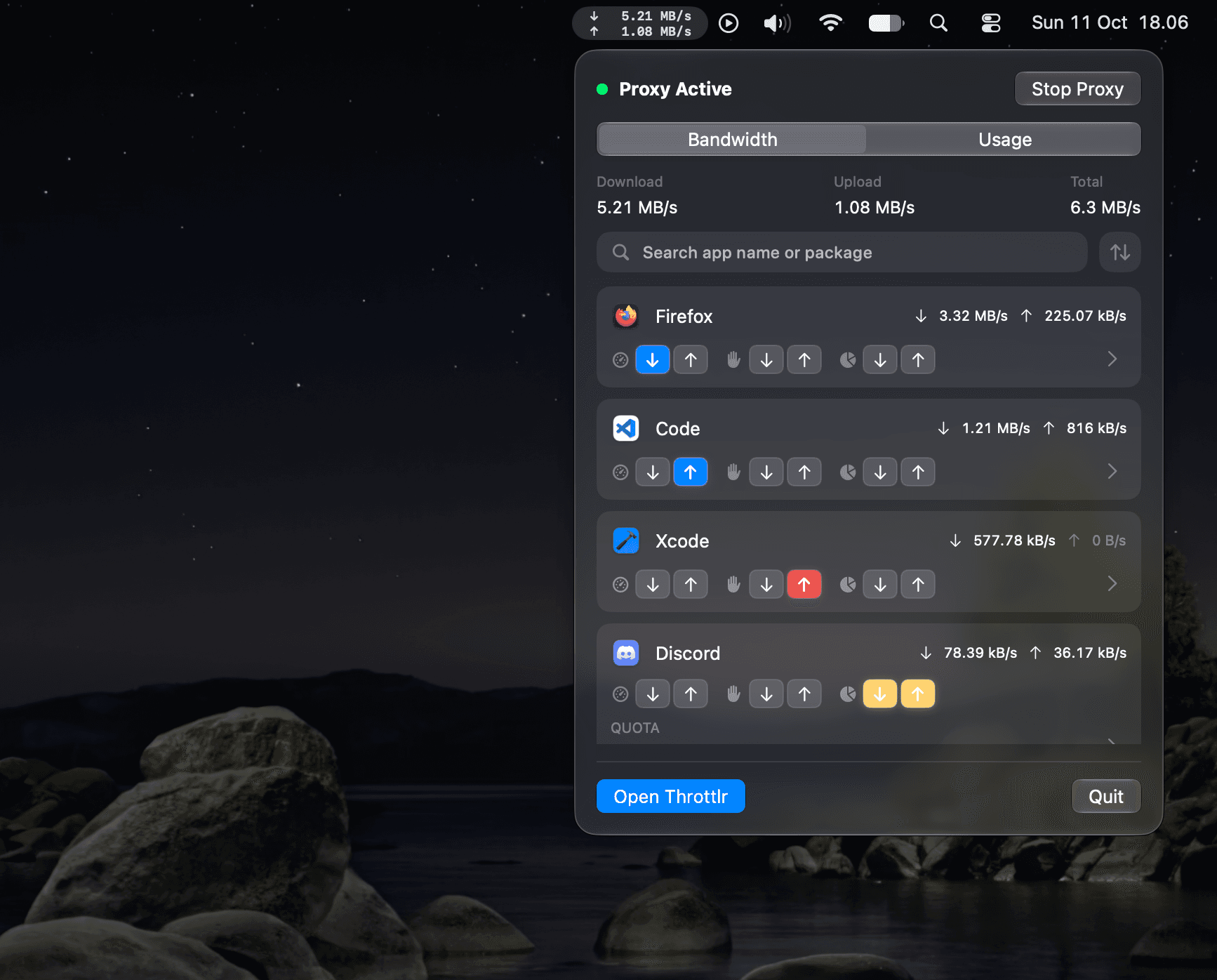
Right from the menu bar
Check live speeds, search apps, and throttle, block or set quotas without opening a window.
See bandwidth as it happens
Live upload and download activity for every app, covering both TCP and UDP.
Usage over time
Monthly and yearly totals with per-app comparisons, so you can see exactly where your data went.
Internet and local, separately
Shape internet and local-network traffic independently, and filter your history by either.
Your stats never leave your Mac
Traffic is processed on-device. History stays local, and there's no analytics or tracking.
Free to monitor
Monitoring, usage history and menu bar speeds are free download. Pro adds throttling, blocking and quotas.
Pricing
Free to monitor. Pro to control.
Start with everything you need to see where your bandwidth goes. Upgrade when you want Throttlr to do something about it.
Free
$0/ forever
Watch everything. Free download.
- Live upload and download speeds for every app
- Monthly and yearly usage history
- Live speeds in the menu bar
Pro
$1.99/ month
or $19.99 / year, or $39.99 lifetime
Take control. 14-day trial, no card needed.
- Everything in Free
- Throttle uploads and downloads per app
- Block any app from the network
- Data quotas that reset on your schedule
Throttlr support
Here when something's off.
Most questions are answered in the Throttlr FAQ. For everything else, a human replies.
Help with Throttlr
Setup guides and answers to common questions about Throttlr.